Keeping policies reviewed
Review dates, the reviews list, and marking a policy reviewed with no change.
Policies go out of date. Each policy has a review date, and Policy Core shows you what is due.
Who can do this: Managers and administrators.
How review dates work #
- Each policy has a review period in months (set when you create it; you can change it in About this policy).
- When you publish a version, the next review date is set to today plus the period.
- When you mark a policy reviewed, the date moves on again by a full period.
See what is due #
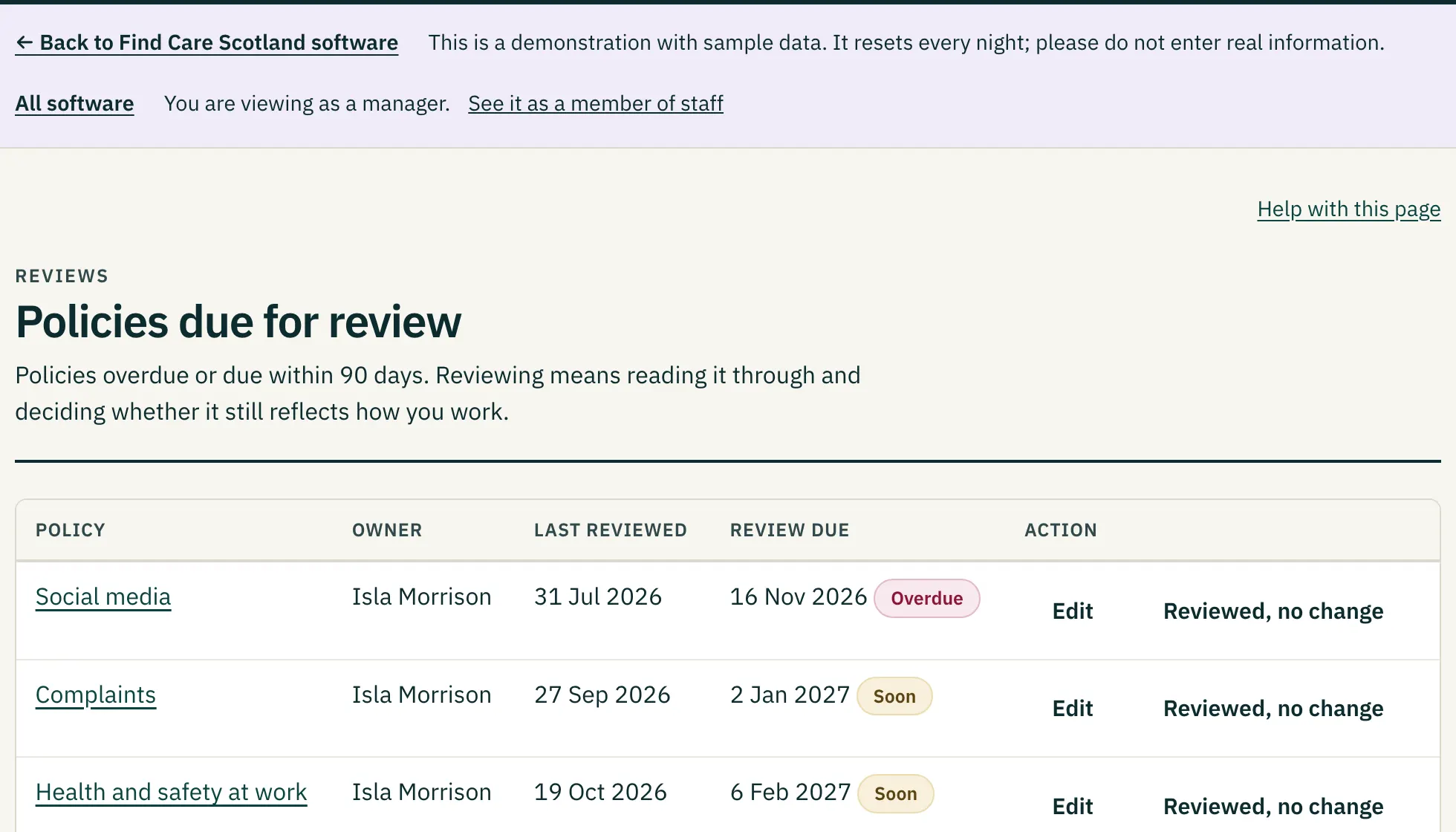
Open Reviews. It lists published policies that are overdue or due within 90 days, soonest first.
 (opens a larger view)
- Overdue means the date has passed. The policy is still in force: nothing stops being used, but it needs attention.
- Soon means it is due within 90 days.
- The Owner is the person responsible, set in About this policy.
- The home page overview shows the next few that are due within 60 days.
Do the review #
Reviewing means reading the policy through and deciding whether it still reflects how you work. There are two outcomes.
It needs changing #
Press Edit and start a new version (Changing a policy that is already published). Publishing it sets a new review date.
It is fine as it is #
- Press Reviewed, no change beside the policy.
- If the policy has appendices or forms, a page lists them. Open each and tick it to say you have checked it is still current. You cannot continue until every one is ticked.
- Press Mark as reviewed, no change.
You should see: "Marked as reviewed with no change. The next review is …".
No new version is made, and nobody is asked to read anything again. The activity log records who reviewed it and when, and the evidence report shows the date it was last reviewed.
Reviewing appendices #
An out-of-date form is a policy problem as much as an out-of-date paragraph. That is why "no change" asks you to confirm each appendix. If one is wrong, do not tick it: cancel and start a new version instead.
Is something wrong, unclear or missing on this page? Tell us what is wrong or missing on this page. We read every message and fix what we get wrong.